
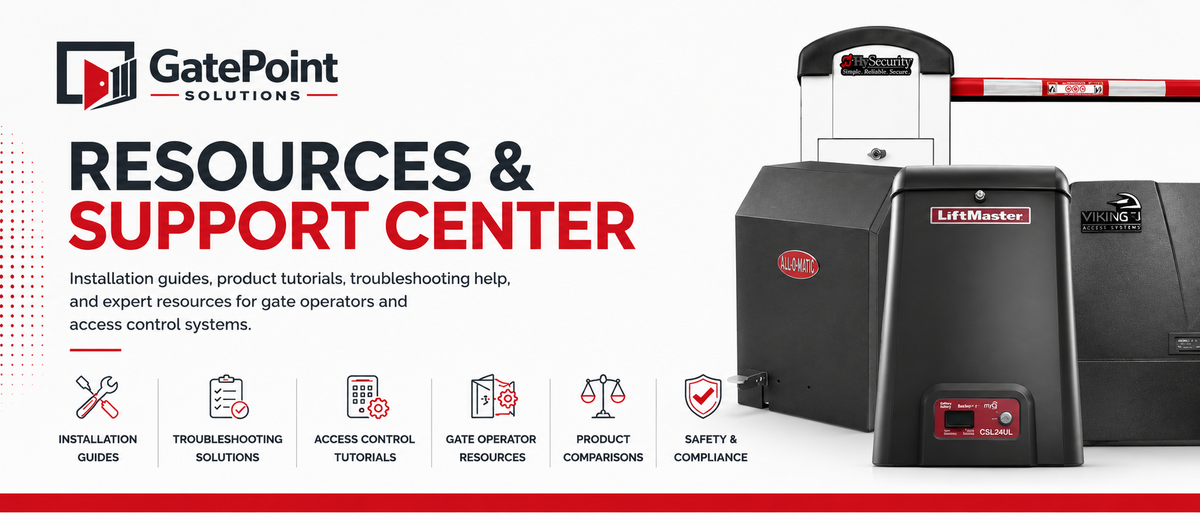
Resources & Support Center
Find Resources for Your Equipment
Select your equipment to find manuals, wiring diagrams, troubleshooting information, programming guides and replacement parts.
Find the Right Replacement Part
Find compatible replacement parts by manufacturer and equipment model, or search directly if you already know the part number.
Search by Equipment
Select your manufacturer and equipment model to view compatible replacement parts.
Know Your Part Number?
Enter a manufacturer part number or SKU to quickly find the exact product in our catalog.
Troubleshooting & Technical Help
Start with the issue you're experiencing to find troubleshooting steps, diagnostic information, wiring resources and compatible replacement parts.
Gate Won't Open
Power, controls, safety devices, limits and operator diagnostics.
GET HELP →Gate Won't Close
Check safety inputs, photo eyes, loops, limits and control settings.
GET HELP →Operator Has No Power
AC power, batteries, transformers, fuses and control-board checks.
GET HELP →Error Codes
Find diagnostic codes and troubleshooting information by operator.
VIEW ERROR CODES →Safety Device Issues
Photo eyes, monitored edges, entrapment protection and safety inputs.
TROUBLESHOOT →Battery & Charging
Batteries, solar charging, AC charging and low-voltage problems.
TROUBLESHOOT →Remote & Keypad Issues
Programming, receiver problems, credentials and wireless controls.
GET HELP →Vehicle Detection
Loop detectors, exit probes, presence detection and related wiring.
TROUBLESHOOT →Popular Equipment Resources
Quickly access manuals, wiring information, troubleshooting guides and replacement parts for commonly serviced equipment.
RSL12UL
12VDC Residential / Light Commercial Slide Gate Operator
VIEW RSL12UL RESOURCES →LA500UL
24VDC Residential / Commercial Swing Gate Operator
VIEW LA500UL RESOURCES →LA412UL
12VDC Solar Residential Swing Gate Operator
VIEW LA412UL RESOURCES →Browse Resources by Manufacturer
Find manuals, wiring diagrams, programming information, troubleshooting guides and replacement parts by manufacturer.
Installation & Wiring Resources
Access installation guides, wiring information and technical resources for gate operators, access control, safety devices and related equipment.
Gate Operator Wiring
Control boards, power connections, accessories, limits and operator-specific wiring information.
VIEW WIRING RESOURCES →Photo Eye Wiring
Monitored photo eyes, entrapment protection, terminal connections and configuration.
VIEW PHOTO EYE GUIDES →Loop Detector Wiring
Inductive loops, plug-in detectors, exit loops, shadow loops and presence detection.
VIEW LOOP RESOURCES →Keypad & Access Control Wiring
Keypads, card readers, receivers, relays, credentials and gate operator connections.
VIEW ACCESS CONTROL GUIDES →Solar Gate Systems
Solar panels, batteries, charging systems, wiring and solar operator installation.
VIEW SOLAR RESOURCES →Intercom & Telephone Entry
Telephone entry, video intercoms, cellular systems, network connections and gate control.
VIEW ENTRY SYSTEM GUIDES →Fire & Emergency Access
Emergency access devices, fire department controls, Knox applications and gate release wiring.
VIEW EMERGENCY ACCESS →Installation Guides
Step-by-step resources for installing gate operators, accessories and access control equipment.
BROWSE INSTALLATION GUIDES →Programming & Setup Guides
Find programming instructions and setup resources for gate operators, remotes, keypads, access control systems and connected devices.
Remote Programming
Program transmitters, receivers and remote controls.
VIEW GUIDES →Keypad Programming
Set up PINs, users and wireless or wired keypads.
VIEW GUIDES →Set Gate Limits
Set open and close limits and complete operator learn cycles.
VIEW GUIDES →Timer-to-Close
Configure automatic closing times and related settings.
VIEW GUIDES →myQ & Connectivity
Connected access, network setup and compatible smart controls.
VIEW GUIDES →Access Credentials
Add cards, tags, codes, users and access credentials.
VIEW GUIDES →Intercom Setup
Configure telephone entry, video and cellular intercom systems.
VIEW GUIDES →Control Board Setup
Learn modes, settings, inputs and operator configuration.
VIEW GUIDES →Manuals & Documentation Library
Find installation manuals, owner's manuals, wiring diagrams, quick-start guides, specification sheets and technical documents for gate and access control equipment.
Installation Manuals
Complete installation and setup documentation.
BROWSE MANUALS →Owner's Manuals
Operation, maintenance and equipment information.
BROWSE MANUALS →Wiring Diagrams
Connections, terminals and system wiring references.
VIEW DIAGRAMS →Quick Start Guides
Fast-reference setup and programming instructions.
VIEW QUICK GUIDES →Specification Sheets
Dimensions, ratings, requirements and product specifications.
VIEW SPEC SHEETS →Technical Bulletins
Technical notices, updates and service information.
VIEW BULLETINS →Product Selection & Buyer Guides
Not sure which equipment is right for your application? Compare system types, understand key differences and find the right gate automation and access control products for your project.
Slide vs. Swing Gate Operators
Compare slide and swing systems based on gate layout, available space, usage and installation requirements.
COMPARE OPERATORS → 02 APPLICATIONResidential vs. Commercial Operators
Understand duty cycles, gate capacities and features for residential, commercial and higher-use applications.
VIEW GUIDE → 03 POWERAC Power vs. Solar Gate Operators
Compare traditional AC-powered systems with solar gate operator configurations and battery requirements.
COMPARE POWER OPTIONS → 04 ACCESS CONTROLChoosing an Access Control System
Compare keypads, card readers, remotes, smart controllers and other methods of controlling gate access.
VIEW ACCESS CONTROL GUIDE → 05 VEHICLE DETECTIONVehicle Detection Options
Learn the differences between loops, probes and other vehicle detection solutions for automated gates.
COMPARE DETECTION OPTIONS → 06 GATE SAFETYPhoto Eyes & Safety Devices
Understand monitored photo eyes, sensing edges and entrapment protection options for automated gates.
VIEW SAFETY GUIDE → 07 ENTRY SYSTEMSIntercom & Telephone Entry Systems
Compare video, cellular, IP and telephone entry systems for residential and commercial properties.
COMPARE ENTRY SYSTEMS → 08 COMPATIBILITYChoosing Compatible Accessories
Find compatible controls, safety devices, batteries, accessories and replacement components for your equipment.
VIEW COMPATIBILITY GUIDES →Gate Safety & Technical Standards
Access educational resources covering automated gate safety, entrapment protection, monitored safety devices, installation considerations and commonly referenced industry standards.
Understanding UL 325
Learn about safety requirements associated with automated gate operator systems, including entrapment protection, monitored safety devices and operator applications.
EXPLORE UL 325 RESOURCES →Understanding ASTM F2200
Review educational information related to automated vehicular gate construction, openings, clearances, guards and other gate-system considerations.
EXPLORE ASTM F2200 RESOURCES →Photo Eyes & Sensing Edges
Learn about monitored photoelectric sensors, sensing edges and external entrapment-protection devices.
VIEW SAFETY DEVICES →Automated Gate Safety
Review common safety considerations involving gate travel, access points, controls and automated vehicular gates.
VIEW SAFETY GUIDES →Fire & Emergency Access
Explore emergency access equipment, gate release devices and resources for emergency-access applications.
VIEW RESOURCES →Safety Device Placement
Learn about common locations and applications for photo eyes, sensing edges and other gate safety devices.
VIEW PLACEMENT GUIDES →Automated gate systems can create serious hazards when improperly designed, installed or serviced. Always follow the equipment manufacturer's current instructions and applicable requirements. When in doubt, consult a qualified gate automation professional.
Still Need Help?
Get help identifying equipment, finding compatible replacement parts or locating the technical information you need.
Have your manufacturer, model number and a brief description of the issue available when possible.
Product Selection Help
Need help choosing a gate operator, access control system, safety device or compatible accessory for your application?
GET PRODUCT HELP →Installation & Technical Help
Find assistance with manuals, wiring information, programming resources, setup and troubleshooting.
GET TECHNICAL HELP →Need Help Finding a Part?
Send us your equipment manufacturer and model number and we'll help you locate the correct replacement component.
GET PART HELP →Latest Guides & Technical Articles
Practical guides, troubleshooting information and technical articles for gate operators, access control systems and automated gate equipment.
Gate Won't Close? Start With These Checks
Learn where to start when an automatic gate opens normally but refuses to close, including safety devices, photo eyes, loops and operator inputs.
READ GUIDE →Understanding Gate Operator Photo Eye Wiring
Learn the basics of connecting monitored photo eyes, understanding common terminals and identifying the correct wiring information for your operator.
READ GUIDE →How to Choose the Right Gate Operator
Compare gate type, size, weight, duty cycle and power requirements before selecting an operator for your application.
READ GUIDE →Resource Center FAQ
Quick answers to common questions about manuals, compatibility, replacement parts and technical resources.
VIEW ALL FAQs →